
Collaborate on anything with anyone
Share storage to create common, synchronized folders. Those you invite will see the same files and folders. And any new files or file updates automatically synchronize with everyone.

Usage Guide
How to invite people to share storage
Spaces you create will appear under a "Spaces" folder in your own desktop sync client's odrive folder. Spaces that you have joined but did not create will appear among the other links at the root of your odrive folder.
 How to manage your space members or invite more people
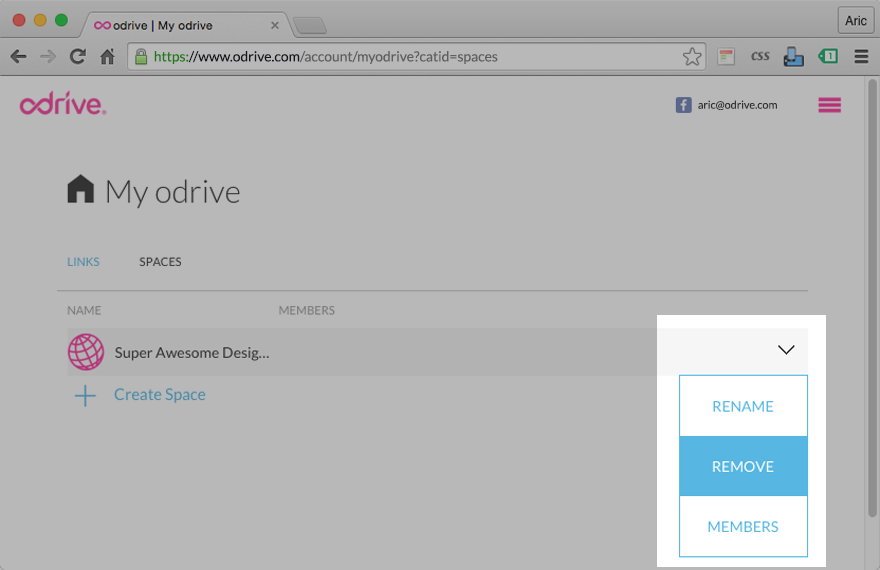
 How to remove a space
- Sign into the odrive website.
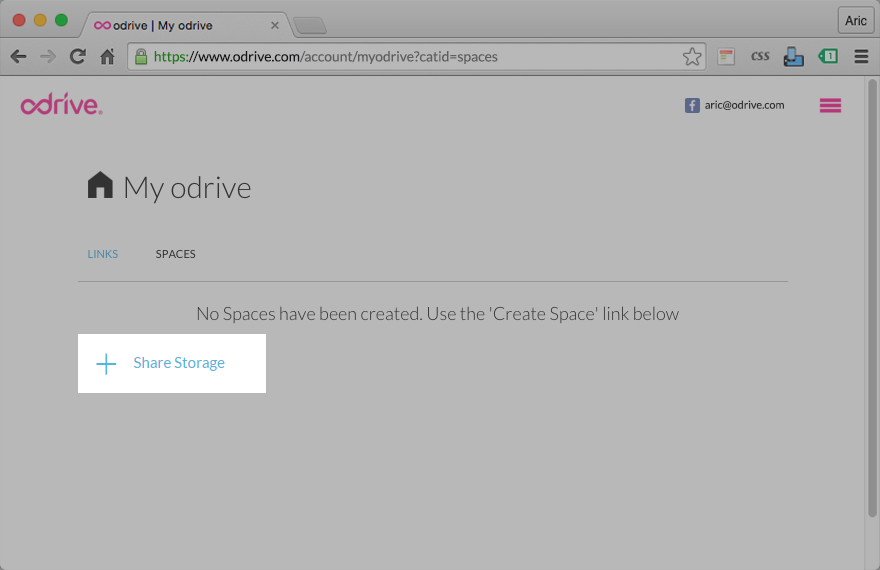
- Click on the "Spaces" header tab above to manage your shared storage folders.
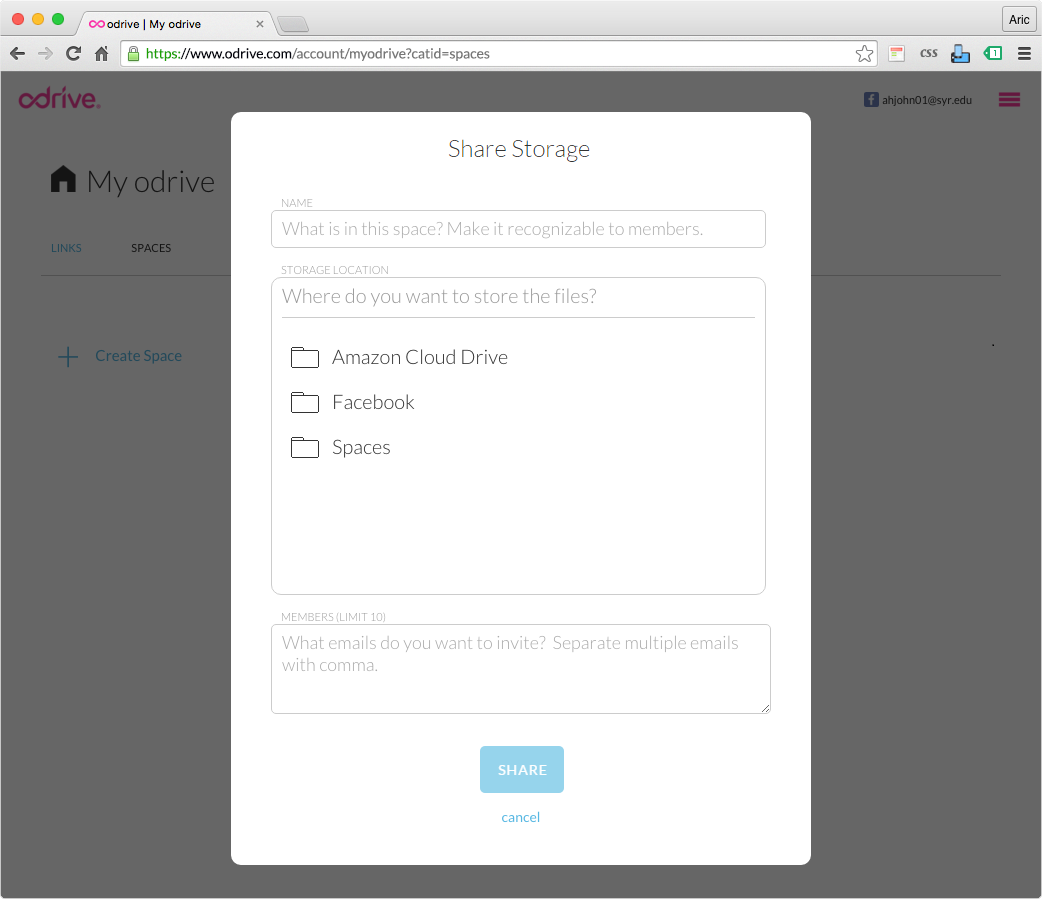
- Click "+ Share Storage" to open the setup form.
- Provide a distinct name for the folder.
- Choose the folder you want to share (underlying storage location). You can create a new empty folder or share an existing folder.
- Enter the emails of the people you'd like to invite. Separate multiple emails with commas
(e.g. aric@odrive.com, peter@odrive.com, tony@odrive.com) - Select the "Share" button when you've added all members to be invited.
Spaces you create will appear under a "Spaces" folder in your own desktop sync client's odrive folder. Spaces that you have joined but did not create will appear among the other links at the root of your odrive folder.
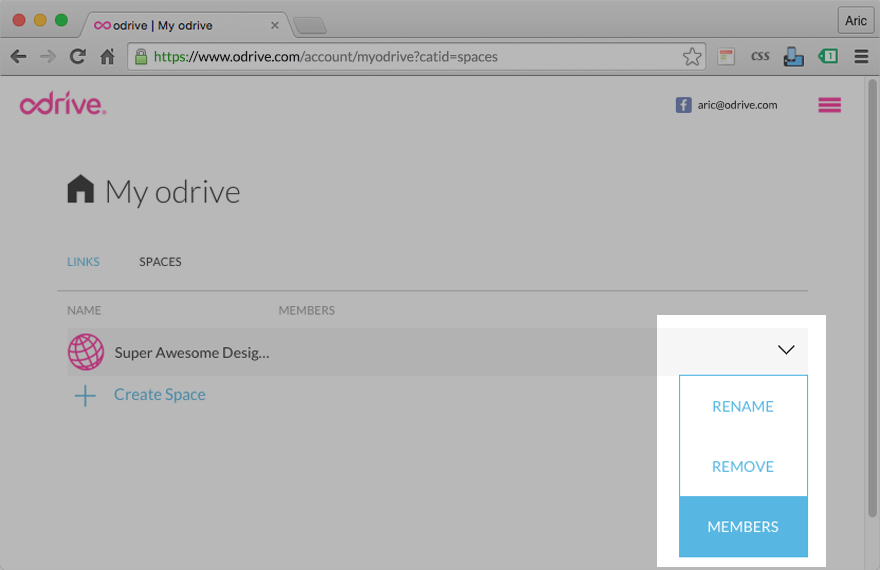
- Find "Members" in the space drop down menu
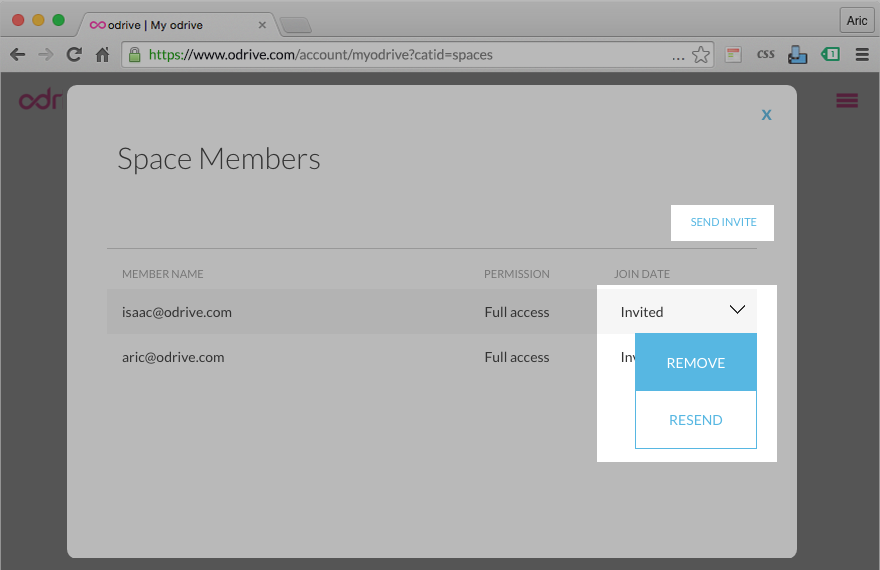
- To invite more people, select "Invite Members"
- To manage existing users, select the drop down menu for that member.
Removing a space removes it from your Spaces folder and makes it unreachable by all the members of that space. The content in that space will NOT BE DELETED and will remain in the underlying storage location you chose when you created the space.
FAQs
Can I share storage with anyone?
Yes. You can share with anyone by inviting them using their email address.
How many users can be in one shared storage folder?
Spaces don't have a hard limit on the number of members, but they are primarily designed for small groups or teams. You may find that administering shared storage for large teams
starts to become cumbersome or cost prohibitive eventually for larger teams that need lots of spaces. If you want to share storage with many people, check out our "Organizations"
(coming soon).
Can I add a remove users whenever I want?
If you are the space owner, you are free to add and remove whomever you want.
Can I give different users different permissions?
Not yet. But this feature may be available with future updates.
 my odrive